



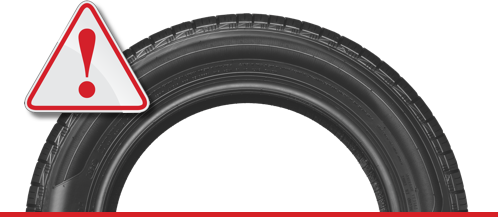
The Toyota app can check the tire conditions of a vehicle using the built-in Tire Pressure Monitoring System (TPMS) sensors that are installed in each tire. These sensors measure the tire pressure and temperature and send the data to the vehicle’s onboard computer, which then communicates the information to the Toyota app via Bluetooth or Wi-Fi.
The app can display the tire pressure readings for each tire in real-time, allowing the driver to monitor the tire pressure and ensure that they are properly inflated. The app can also alert the driver if there is a significant drop in tire pressure or if any other issues are detected with the tires, such as excessive wear or damage.
In addition to monitoring tire pressure, the Toyota app can provide other useful information related to the vehicle’s tires, such as the recommended tire pressure for the vehicle, the size of the tires, and the wear indicators that can help the driver determine when it’s time to replace the tires.
To check the tire conditions on the Toyota app, follow these steps:
- Download the Toyota app from the App Store or Google Play Store and log in to your account.
- Once you’re logged in, select your vehicle from the list of registered vehicles.
- Once you have selected your vehicle, click on the “Service” tab located at the bottom of the screen.
- Scroll down to the “Tire Center” section and select “Tire Maintenance” from the menu.
- On the Tire Maintenance page, you will be able to see the current tire pressure readings for each tire on your vehicle.
- You can also view other important information related to your tires, such as the recommended tire pressure for your vehicle, tire size, and tire wear indicators.
- If you notice that your tire pressure readings are low, you should visit a Toyota service center or a qualified mechanic to have your tires inspected and inflated to the correct pressure.
![[Facebook]](https://www.passporttoyota.com/blogs/716/wp-content/plugins/bookmarkify/facebook.png)
![[LinkedIn]](https://www.passporttoyota.com/blogs/716/wp-content/plugins/bookmarkify/linkedin.png)
![[Twitter]](https://www.passporttoyota.com/blogs/716/wp-content/plugins/bookmarkify/twitter.png)
![[Yahoo!]](https://www.passporttoyota.com/blogs/716/wp-content/plugins/bookmarkify/yahoo.png)
![[Email]](https://www.passporttoyota.com/blogs/716/wp-content/plugins/bookmarkify/email.png)
Connect with us


